
Claude (OTel)
Track estimated costs from Claude Code, Cowork, and Office agents via OpenTelemetry telemetry.

Claude (OTel)
AI · ~1 hour latency · 10 min setup
What is the Claude provider?
The Claude provider ingests OpenTelemetry (OTel) telemetry emitted by Claude Code, Claude Cowork, and Office agents you run locally or in CI. StackSpend receives OTLP metrics and logs from your agents, extracts token counts, and converts them to estimated cost data using current Anthropic model pricing. You do not need an Anthropic API key for this setup — telemetry is sent directly to StackSpend.
Because the data flows through OTel rather than Anthropic's billing API, this provider gives you per-user and per-session attribution that Anthropic's own dashboard does not expose. You can see exactly which developer, team, or automated pipeline is driving spend.
Who should use this?
This provider is intended for teams who:
- Run Claude Code, Cowork, or Office agents locally or in CI pipelines.
- Want per-user or per-session cost attribution across their engineering team.
- Need to chargeback AI spend to specific projects or cost centers.
Is this per user or per team?
Setup is at the team / organization level, not per individual user. You create one Claude provider connection for your organization and generate one usage:write ingest key, then roll that same endpoint and key out across Claude Code, Cowork, and Office agents for everyone on the team.
- The ingest key and connection are organization-scoped. You do not need a separate provider connection or ingest key per person. A single managed-settings rollout covers the whole team.
- Per-user and per-session attribution is automatic. It comes from the user attributes Claude includes in each telemetry payload (such as user email, account UUID, and session ID) — not from issuing a key per user. As long as your agents emit those attributes, StackSpend breaks spend down by user, team, model, and session under one key.
- Optional: separate keys per product or team. Many teams start with one shared key. Later, issuing per-product or per-team ingest keys makes rotation and audit trails cleaner — but it is an organizational choice, not a requirement.
Prerequisites
- A StackSpend account with permission to add a provider and create an API key.
- Claude Code, Cowork, or Office agents that support OpenTelemetry export.
- For a business rollout: access to Claude Code managed settings (MDM, or a system
managed-settings.jsondeployment path). - For an individual install: a Terminal window on the machine you want to measure.
Setup
Add the Claude provider in StackSpend
- Go to Dashboard → Providers and click the Add provider card.
- Choose Claude.
- Give it a clear name, such as Claude — Team.
- Click Create provider. No Anthropic credentials are required.
- Open the provider page and copy the connection ID — it is the last path segment of the URL after
/dashboard/providers/.
Generate a usage ingest key
Telemetry is authenticated with a write-only StackSpend ingest key — this is the credential the docs previously omitted. On the Claude provider page, click Generate ingest key. StackSpend creates a scoped usage:write key (it usually starts with ss_live_), shows it once, and lists it under Settings → API Keys for later rotation or revocation.
Copy the key immediately — you will paste it into your agent configuration below. Once generated, the provider page fills your connection ID and key into the copy-ready snippets in the steps that follow, so in most cases you can copy them as-is.
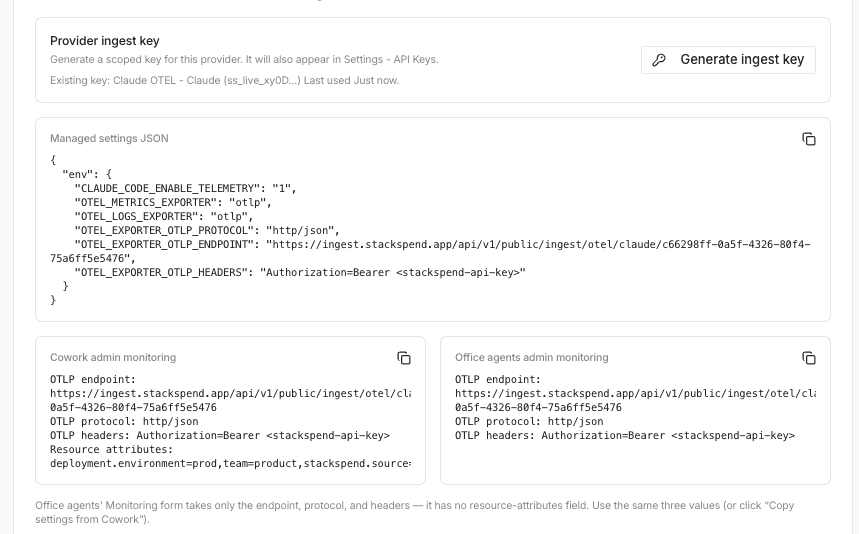
Claude Code: deploy org-wide via managed settings
Roll telemetry out to your whole organisation from the Claude admin console. Managed settings override user and project settings and apply to Claude Code across the CLI, IDE, and Desktop app — so there is nothing for individual developers to configure.
- In Claude, open Organization settings.
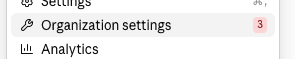
Open Organization settings - Under Products, select Claude Code.
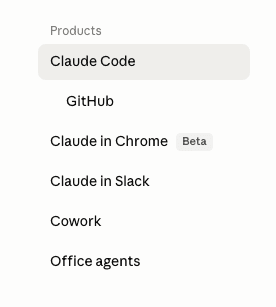
Under Products, select Claude Code - Find Managed settings (settings.json) and click Manage.

Claude Code → Managed settings (settings.json) → Manage - Paste the JSON below into the
settings.jsoneditor, then click Update settings.{ "env": { "CLAUDE_CODE_ENABLE_TELEMETRY": "1", "OTEL_METRICS_EXPORTER": "otlp", "OTEL_LOGS_EXPORTER": "otlp", "OTEL_EXPORTER_OTLP_PROTOCOL": "http/json", "OTEL_EXPORTER_OTLP_ENDPOINT": "https://ingest.stackspend.app/api/v1/public/ingest/otel/claude/YOUR_CONNECTION_ID", "OTEL_EXPORTER_OTLP_HEADERS": "Authorization=Bearer YOUR_INGEST_KEY" } }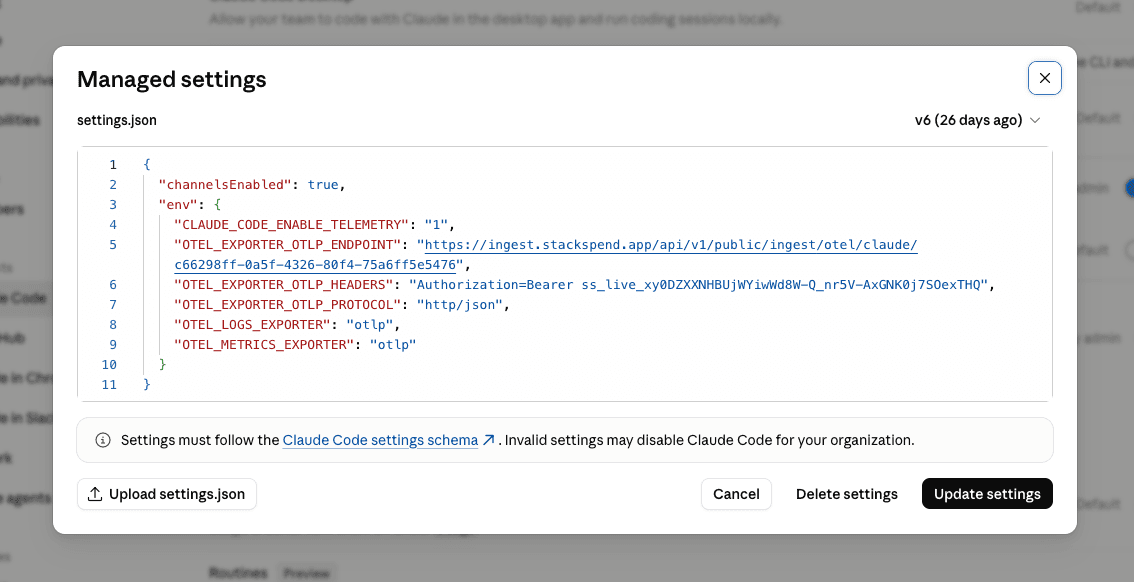
Paste the JSON into the settings.json editor, then Update settings
Replace YOUR_CONNECTION_ID with the connection ID from Step 1 and YOUR_INGEST_KEY with the key from Step 2.
/v1/metrics or /v1/logs — Claude appends those signal paths automatically. Adding them yourself causes 404s.otelHeadersHelper script that reads the key from your MDM secret store or Keychain and returns Authorization=Bearer ....After the policy lands, users must fully restart Claude Code and start a new session — telemetry environment variables only apply to sessions started after the settings load.
managed-settings.json via MDM — typically /Library/Application Support/ClaudeCode/managed-settings.json (macOS), /etc/claude-code/managed-settings.json (Linux / WSL), or C:\Program Files\ClaudeCode\managed-settings.json (Windows).Cowork & Office agents: admin Monitoring form
Cowork and Office agents are configured in the Claude admin UI, not with Claude Code settings.json. The StackSpend provider page gives you a ready-to-copy block for each — open the Monitoring (OpenTelemetry) form for the product in Claude admin and enter these values:
Cowork
In Claude, open Organization settings → Cowork.
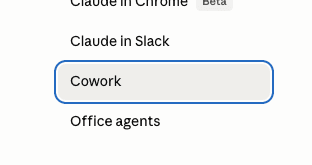
Scroll to Monitoring and enter the values below.
OTLP endpoint: https://ingest.stackspend.app/api/v1/public/ingest/otel/claude/YOUR_CONNECTION_ID
OTLP protocol: http/json
OTLP headers: Authorization=Bearer YOUR_INGEST_KEY
Resource attributes: deployment.environment=prod,team=product,stackspend.source=claude_cowork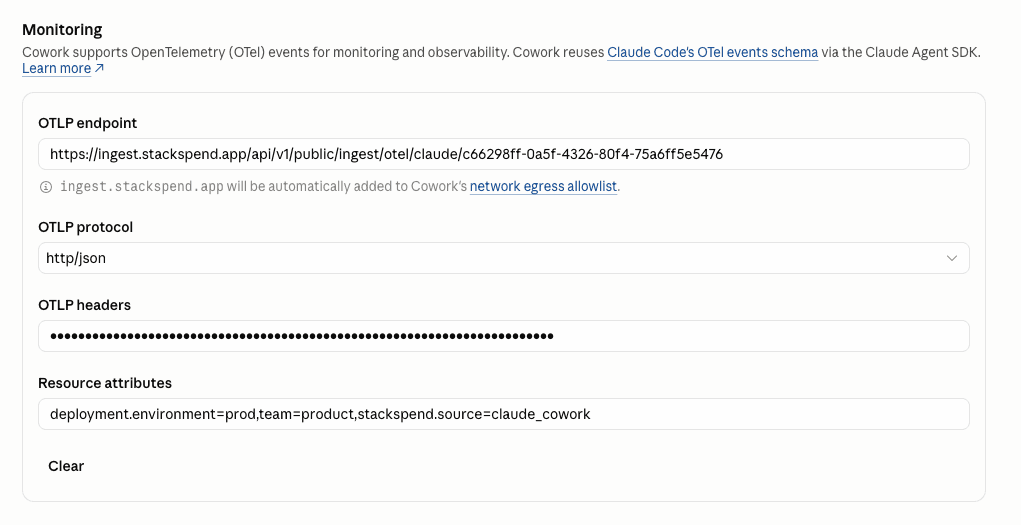
Office agents
Open Organization settings → Office agents.
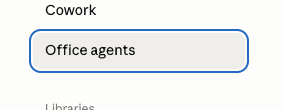
Scroll to Monitoring. This form takes only the endpoint, protocol, and headers — it has no resource attributes field. Enter the same three values, or click Copy settings from Cowork.
OTLP endpoint: https://ingest.stackspend.app/api/v1/public/ingest/otel/claude/YOUR_CONNECTION_ID
OTLP protocol: http/json
OTLP headers: Authorization=Bearer YOUR_INGEST_KEY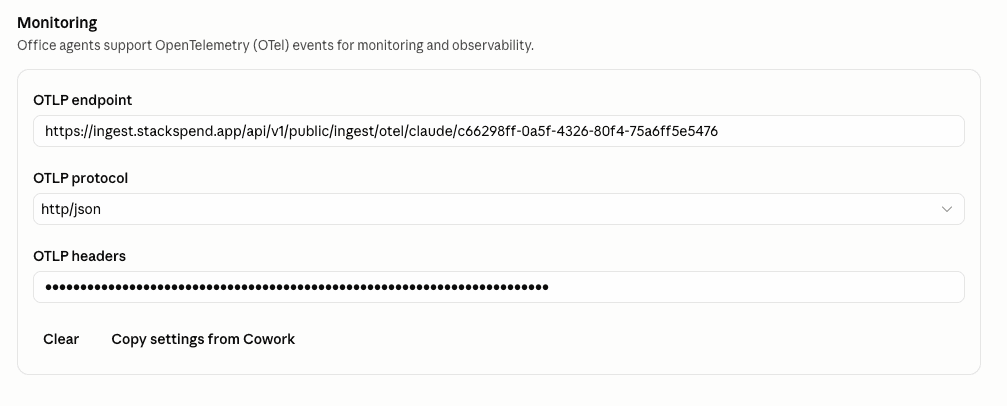
Use the collector root endpoint (no /v1/* suffix), then save and start a new agent session — existing sessions may not pick up the change.
Verify
Run Claude Code or trigger your agent, then return to the Claude provider page in StackSpend. Last synced updates once the first telemetry payload is received; cost line items appear within approximately 1 hour.
If nothing appears, confirm your agent is exporting to the collector root endpoint, the connection ID matches the one in StackSpend, and the Authorization header carries a valid usage:write key.
Troubleshooting
401 Unauthorized
Confirm the key is active and the header is exactly Authorization=Bearer ss_live_... — there must be a space between Bearer and the key.
403 Invalid scope
Rotate the key so it includes the usage:write scope.
404 on /v1/logs or /v1/metrics
Use the collector root endpoint, not a signal-specific path. Do not append /v1/metrics or /v1/logs — Claude adds them.
No cost line items
Confirm the request returns 202 and the payload includes claude_code.cost.usage metrics or api_request log events with cost_usd.
Data availability
| Property | Value |
|---|---|
| Data latency | ~1 hour |
| Historical data | From setup date |
| Setup time | ~10 min |
Frequently asked questions
What does StackSpend need to connect the Claude provider?
StackSpend needs a scoped, receive-only usage:write ingest key and a connection ID — not an Anthropic API key. Your Claude Code, Cowork, and Office agents send OpenTelemetry (OTel) telemetry directly to StackSpend using that key.
Is the connection read-only, and does StackSpend change anything?
Yes. The ingest key is receive-only (usage:write) and only accepts incoming telemetry — StackSpend never writes to or controls your Claude agents. It reads token counts from the OTel payloads and converts them to estimated cost.
How long does setup take and does StackSpend backfill history?
Setup takes about 10 minutes. There is no historical backfill for Claude — telemetry is captured only from the moment you enable OpenTelemetry forward, so StackSpend cannot load the previous 90 days.
Is the cost an official Anthropic invoice?
No. Claude cost is a token-based estimate derived from OTel telemetry using current model pricing, not an official Anthropic invoice, and it does not factor in subscription pricing. For billing accuracy, also connect the Anthropic provider.
Why don't I see any cost data yet?
Cost line items appear within about 1 hour of the first telemetry payload. If nothing appears, confirm your agent exports to the collector root endpoint (no /v1/* suffix), the connection ID matches StackSpend, and the Authorization header carries a valid usage:write ingest key.